# Frequently Asked Questions
**What should I do if my camera does not show up as a payload in the DJI Pilot 2 app?**
What should I do if my camera does not show up as a payload in the DJI Pilot 2 app?
Disconnect the camera power by unplugging the X-Port from the Skyport connector, reboot the drone, check if the cable is securely inserted into the SHLD connector, otherwise contact technical support by email support@topodrone.com
or by phone +7(499)938-79-18
**What to do if the delivery set provides for the joint use of TOPODRONE P61 camera and laser scanner, but you need to perform a flight without collecting photogrammetric data and get only a cloud of laser scanning points?**
In this case there are 2 options:
1. Remove the TOPODRONE P61 camera from the laser scanner to reduce the payload weight, but do not remove the L-shaped pad. In this case, when processing the high-precision path of the laser scanner, choose the installation option with the TOPODRONE P61 camera.
2. Place the V-shaped plate of the laser scanner mount in such a way that the tip looks in the opposite direction of the drone movement, and the skis are not twisted. The screenshots below show the correct installation of the V-plate.[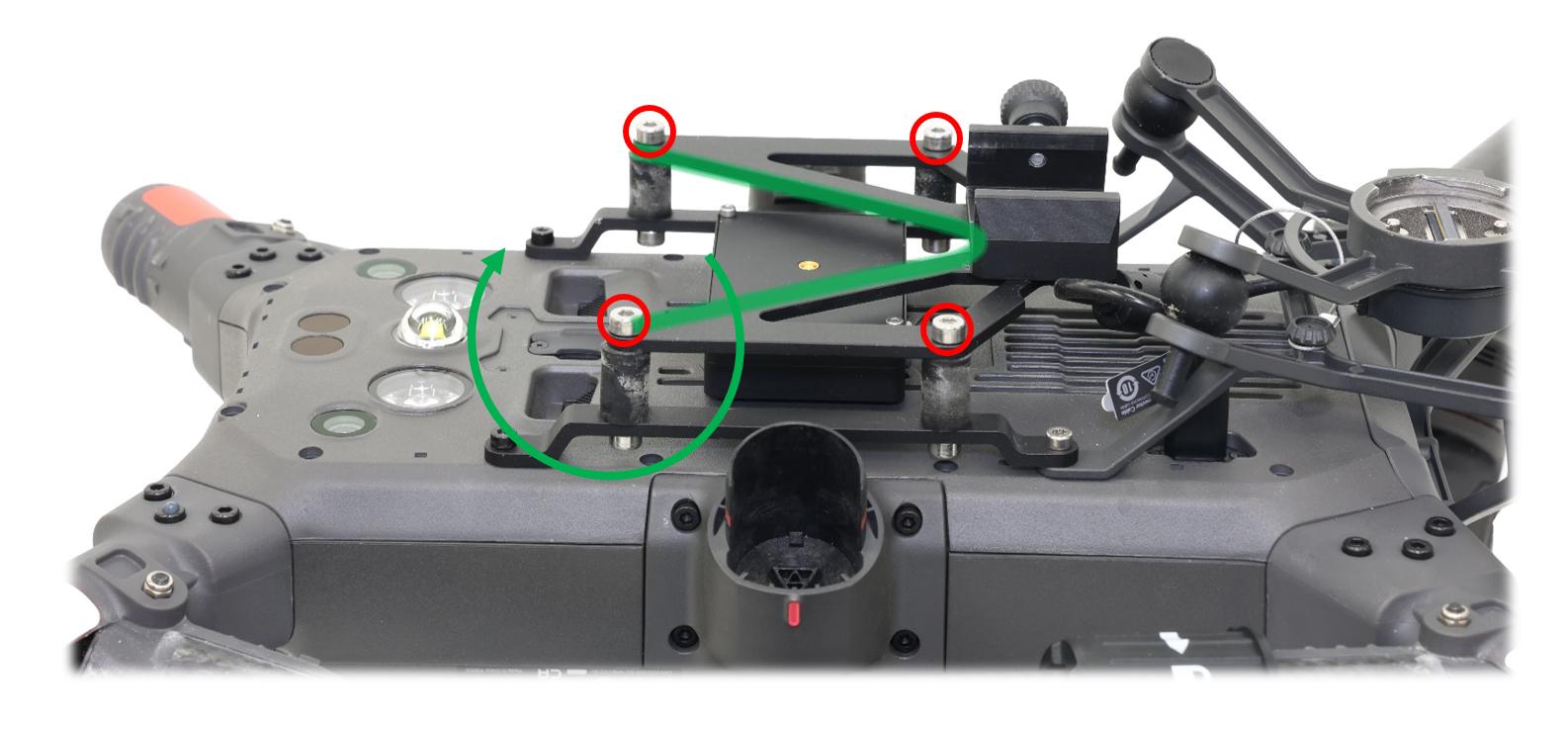](https://knowledge.topodrone.com/uploads/images/gallery/2024-09/13.jpg)[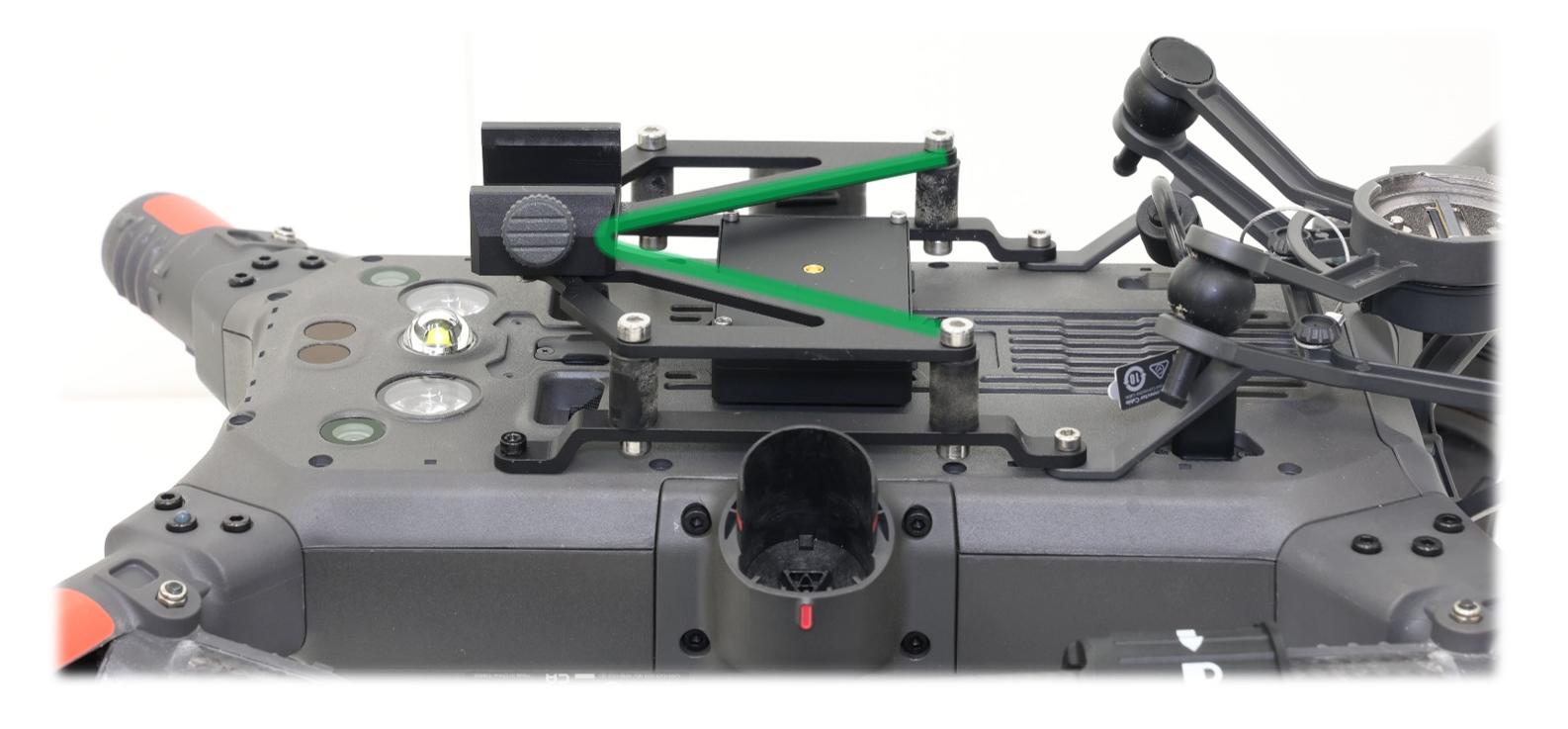](https://knowledge.topodrone.com/uploads/images/gallery/2024-09/14.jpg)
3. As a result of studying and following all points of this manual, the user is able to perform installation and setup of the TOPODRONE P61 camera.