# GNSS data converter
The module is based on the open source software RTKLIB, this module is designed to convert raw observation files from Global Navigation Satellite System (GNSS) receivers into RINEX format. The module supports data formats from the following GNSS chip manufacturers: U-blox, ComNav, NovAtel, Hemisphere, Javad, Trimble, as well as the common \*.YYO format, where YY is the year of observations.
To convert data to \*.obs format, perform the following actions: Go to the "Tools" tab and select "GNSS Data Converter" in the RINEX section. Specify the file to be converted to \*.obs format.
[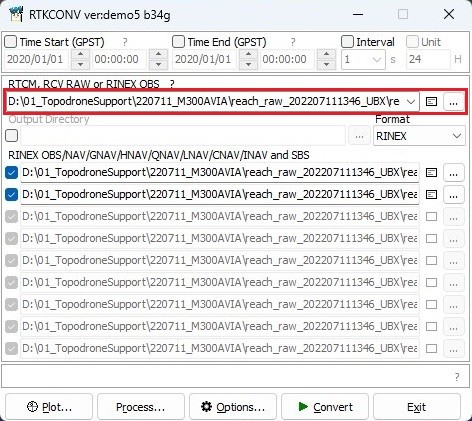](https://knowledge.topodrone.com/uploads/images/gallery/2024-08/gnss-data-converter-01.jpg)
The lower part of the window displays the files to be exported.
[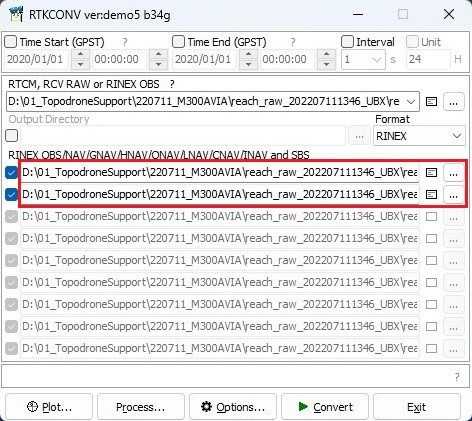](https://knowledge.topodrone.com/uploads/images/gallery/2024-08/gnss-data-converter-02.jpg)
If necessary, time-limit the file by specifying the date and range of operation, and change the frequency of the final file write.
[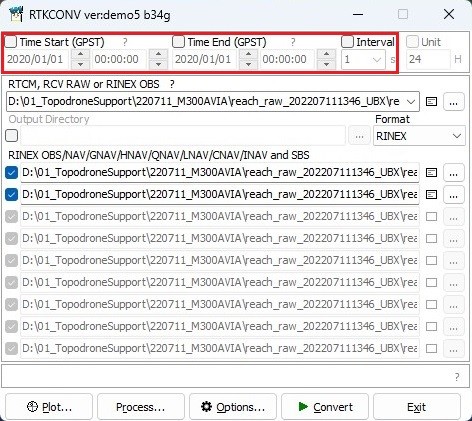](https://knowledge.topodrone.com/uploads/images/gallery/2024-08/gnss-data-converter-03.jpg)
Click on the "Options..." button and select the RINEX version, satellite constellations, operating frequency or specific satellites. Then click on the "OK" button.
[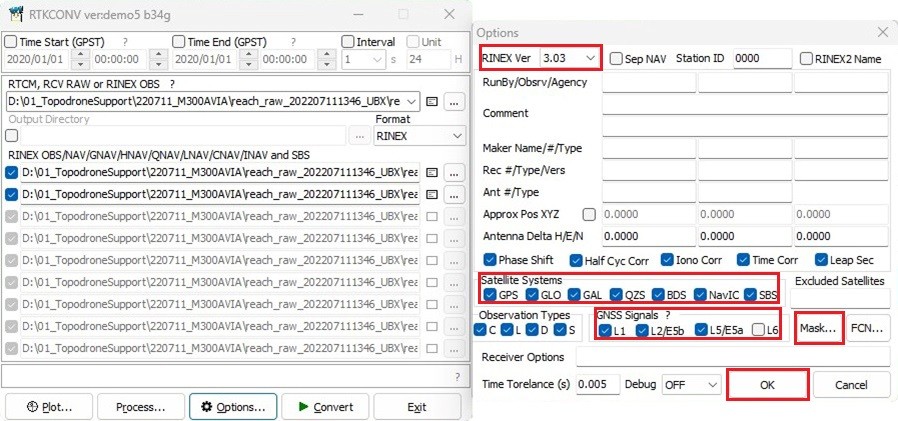](https://knowledge.topodrone.com/uploads/images/gallery/2024-08/gnss-data-converter-04.jpg)
Click on the "Convert" button to have the program convert your file to RINEX format with your parameters.
[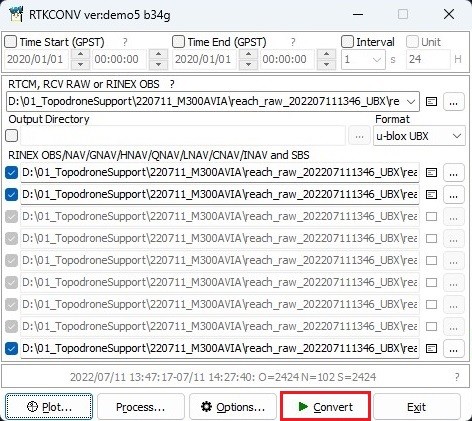](https://knowledge.topodrone.com/uploads/images/gallery/2024-08/gnss-data-converter-05.jpg)
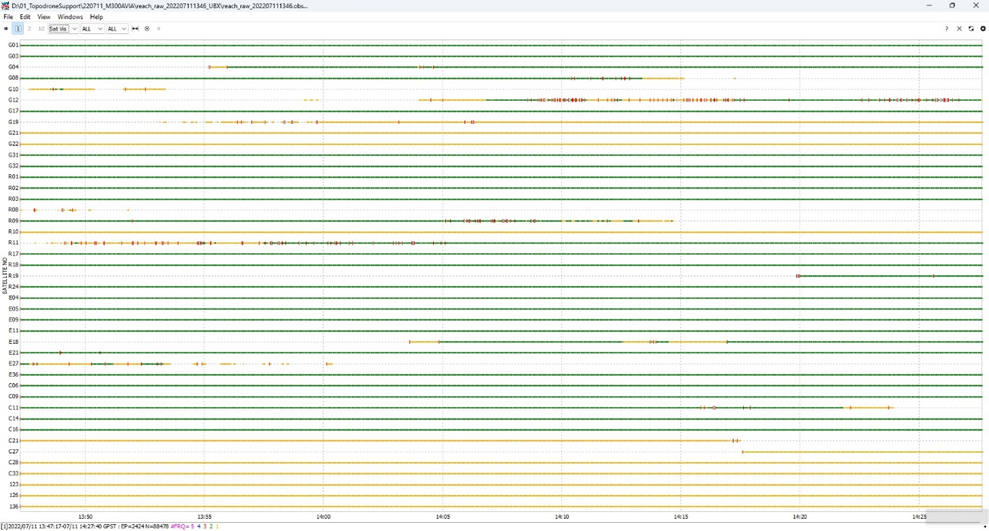
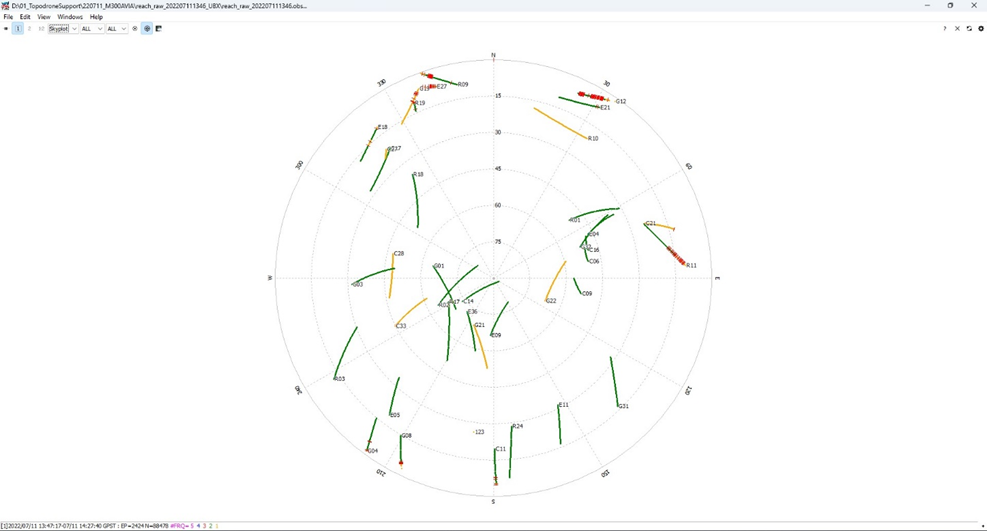
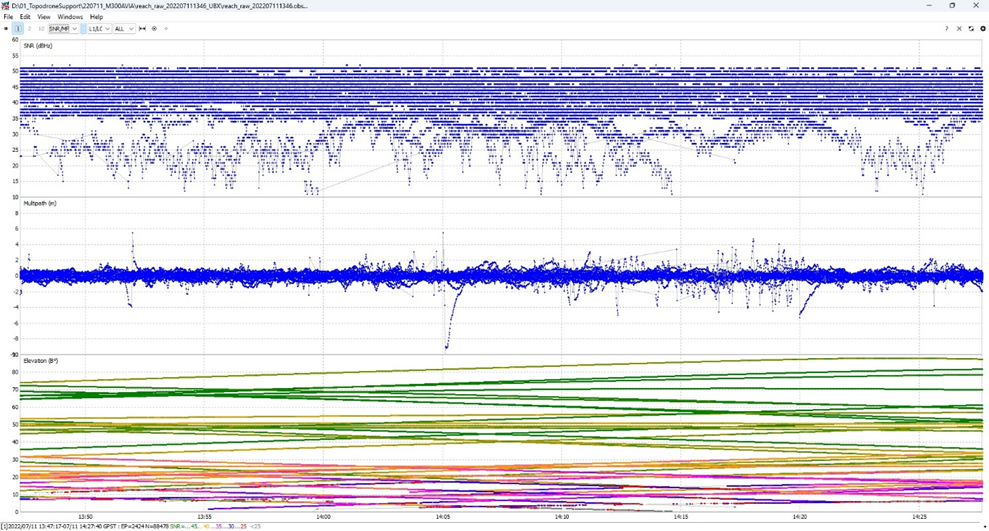
After converting the file, click on the "Plot..." button to evaluate the quality of your data. For more information about data quality analysis, see [Appendix B.](https://knowledge.topodrone.com/uploads/images/gallery/2024-07/ppk-3.png)