# One vector

1. To start this module it is necessary to open the TOPODRONE Post Processing program, go to the Static Post Processing tab and click on the "One vector" button.  
    [![One vector_01.jpg](https://knowledge.topodrone.com/uploads/images/gallery/2024-11/scaled-1680-/one-vector-01.jpg)](https://knowledge.topodrone.com/uploads/images/gallery/2024-11/one-vector-01.jpg)
2. Load measurement data from the rover.  
    [![One vector_02.jpg](https://knowledge.topodrone.com/uploads/images/gallery/2024-11/scaled-1680-/one-vector-02.jpg)](https://knowledge.topodrone.com/uploads/images/gallery/2024-11/one-vector-02.jpg)
3. Download airborne ephemeris data.  
    [![One vector_03.jpg](https://knowledge.topodrone.com/uploads/images/gallery/2024-11/scaled-1680-/one-vector-03.jpg)](https://knowledge.topodrone.com/uploads/images/gallery/2024-11/one-vector-03.jpg)
4. If necessary, download files of accurate ephemeris.  
    [![One vector_04.jpg](https://knowledge.topodrone.com/uploads/images/gallery/2024-11/one-vector-04.jpg)](https://knowledge.topodrone.com/uploads/images/gallery/2024-11/one-vector-04.jpg)
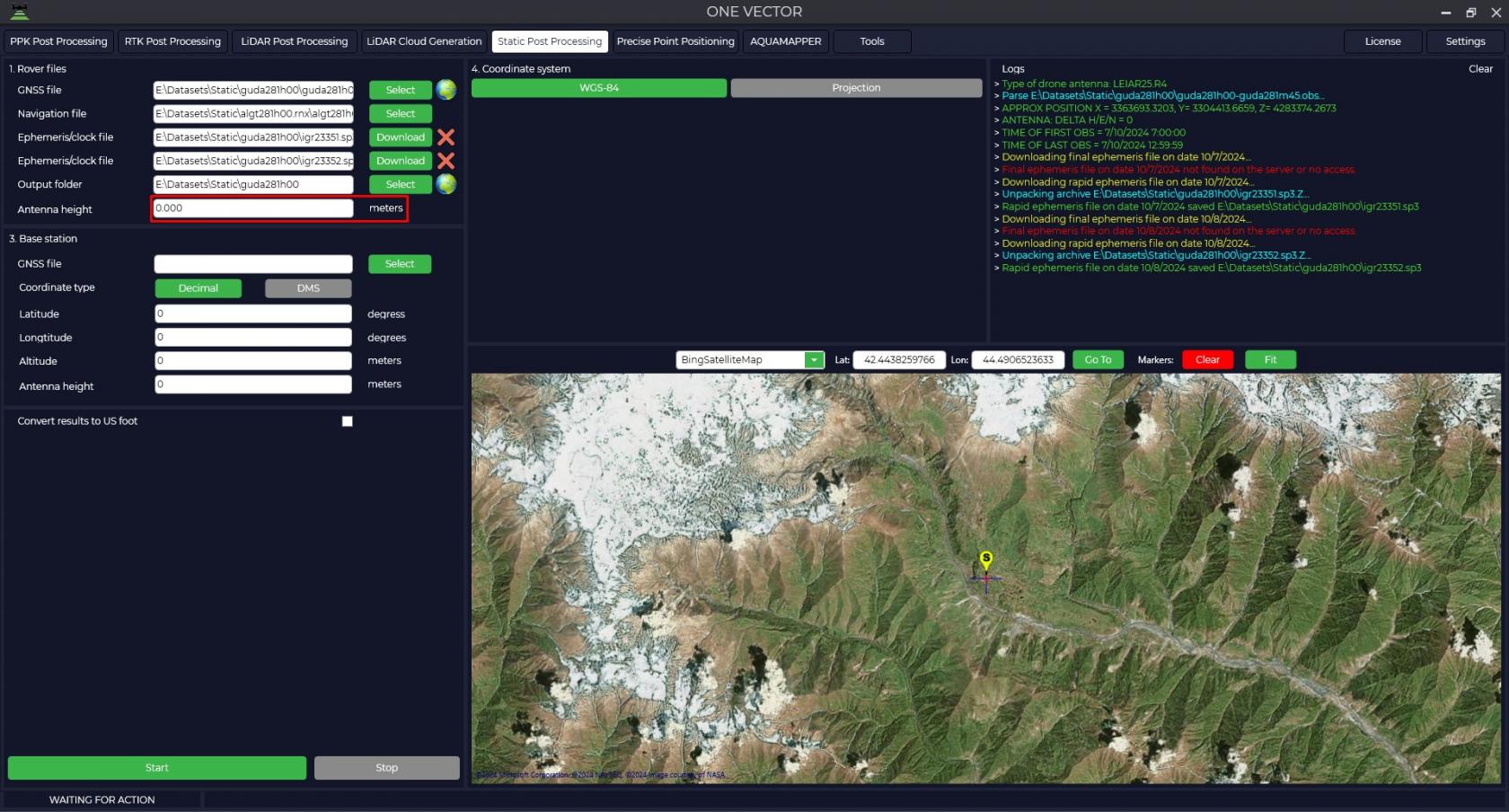
5. Enter the height of the rover antenna.  
    <p class="callout warning">The height of the antenna includes the height of the milestone or tripod from the measuring point to the bottom of the receiver mount and the height from the bottom of the receiver mount to the phase center.</p>
    
    [![One vector_05.jpg](https://knowledge.topodrone.com/uploads/images/gallery/2024-11/scaled-1680-/one-vector-05.jpg)](https://knowledge.topodrone.com/uploads/images/gallery/2024-11/one-vector-05.jpg)
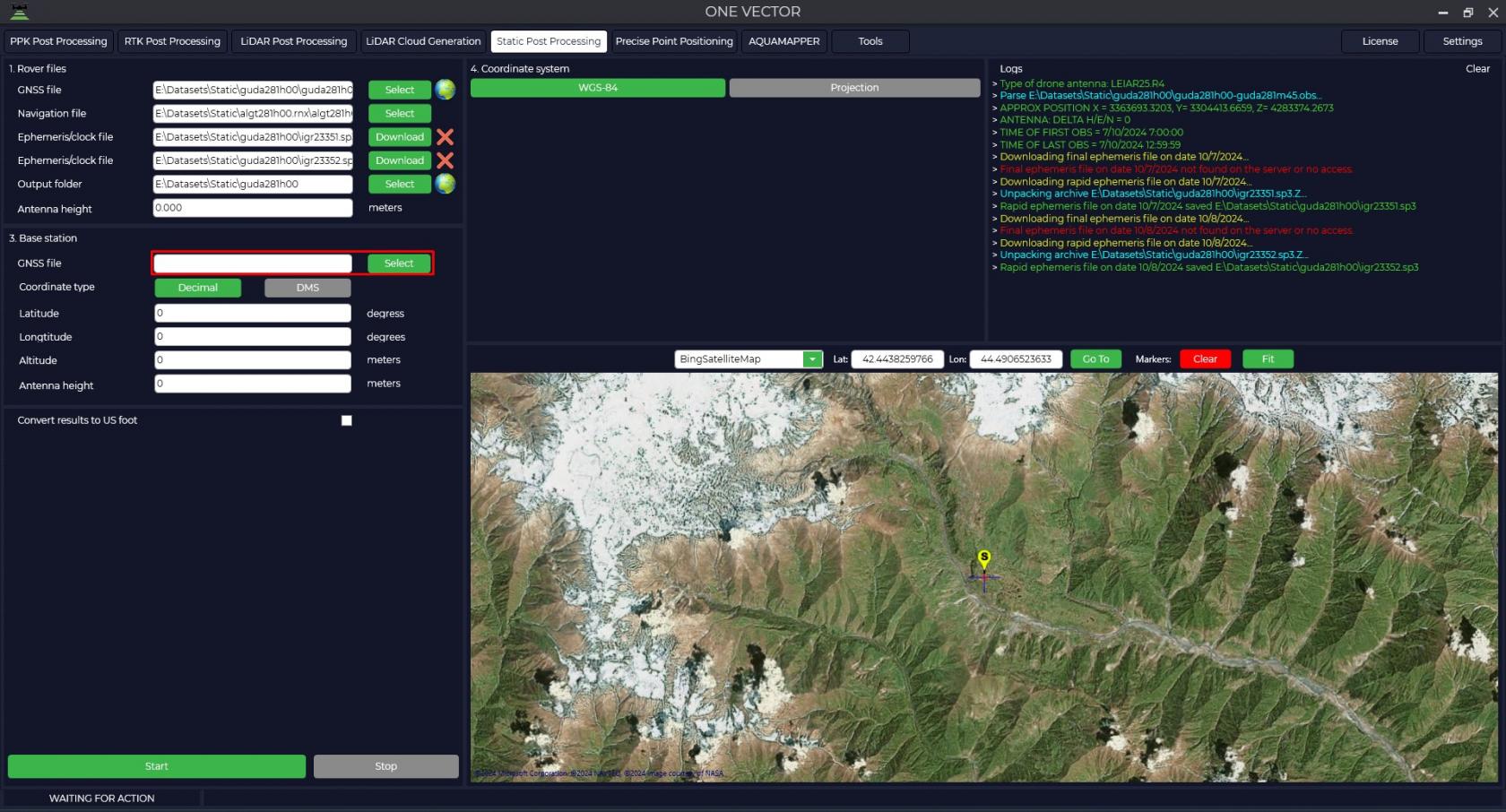
6. Download measurement data from the base station.  
    [![One vector_06.jpg](https://knowledge.topodrone.com/uploads/images/gallery/2024-11/scaled-1680-/one-vector-06.jpg)](https://knowledge.topodrone.com/uploads/images/gallery/2024-11/one-vector-06.jpg)
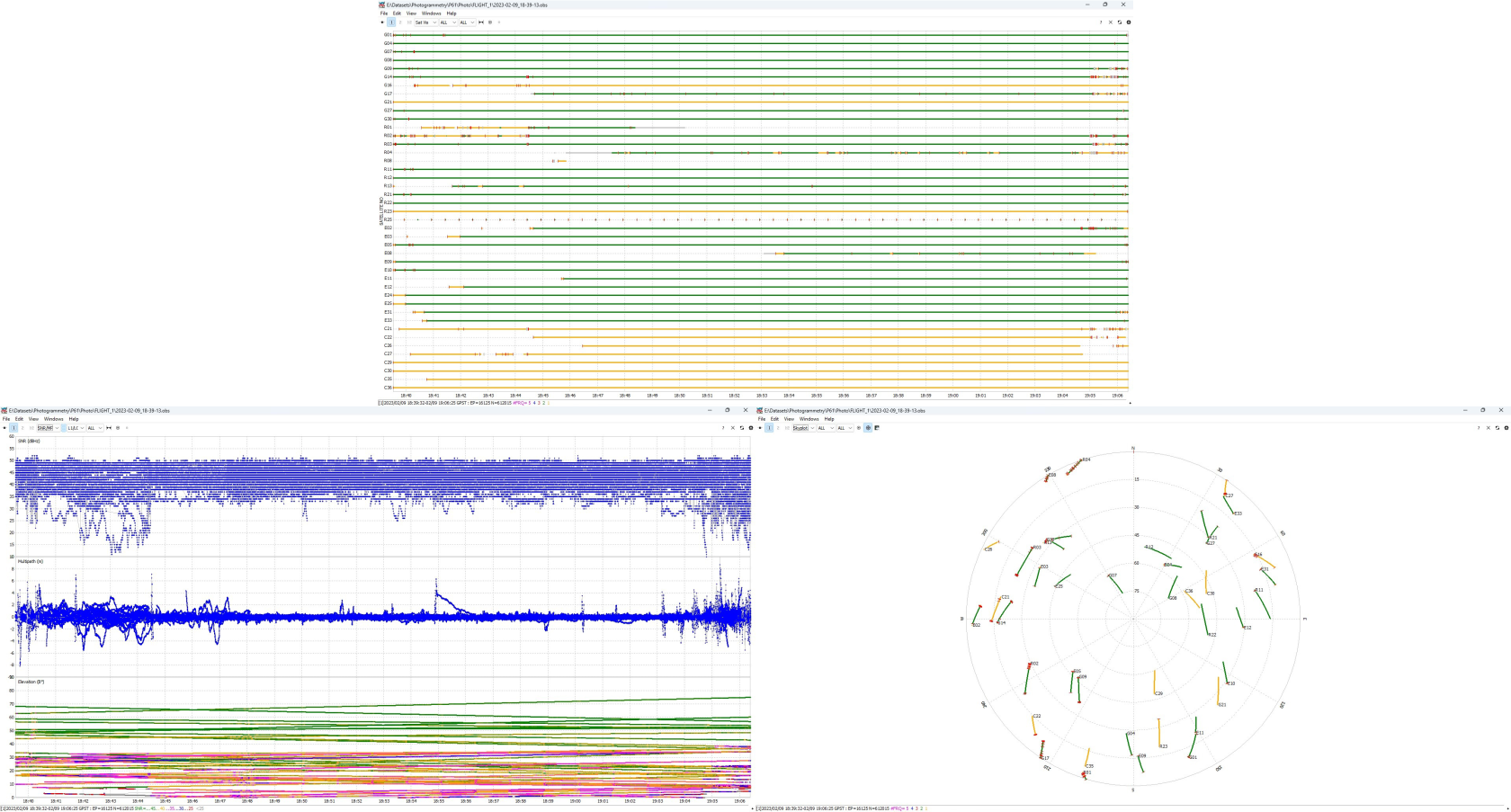
7. After the files are uploaded, pressing the [![embedded-image-fhqpququ.png](https://knowledge.topodrone.com/uploads/images/gallery/2024-11/scaled-1680-/embedded-image-fhqpququ.png)](https://knowledge.topodrone.com/uploads/images/gallery/2024-11/embedded-image-fhqpququ.png) button allows you to analyze the quality of the data. For <span class="aNeGP0gI0B9AV8JaHPyH" data-src-align="0:5">more</span> <span class="aNeGP0gI0B9AV8JaHPyH" data-src-align="6:8">information</span> <span class="aNeGP0gI0B9AV8JaHPyH" data-src-align="15:1">about</span> <span class="aNeGP0gI0B9AV8JaHPyH" data-src-align="34:6">data</span> <span class="aNeGP0gI0B9AV8JaHPyH" data-src-align="25:8">quality</span> <span class="aNeGP0gI0B9AV8JaHPyH" data-src-align="17:7">analysis</span>, <span class="aNeGP0gI0B9AV8JaHPyH" data-src-align="47:9">see</span> [<span class="aNeGP0gI0B9AV8JaHPyH" data-src-align="59:10">Appendix</span> <span class="aNeGP0gI0B9AV8JaHPyH" data-src-align="70:2">B.</span>](https://knowledge.topodrone.com/uploads/images/gallery/2024-07/ppk-3.png)[![PPK_3.png](https://knowledge.topodrone.com/uploads/images/gallery/2024-07/scaled-1680-/ppk-3.png)](https://knowledge.topodrone.com/uploads/images/gallery/2024-07/ppk-3.png)
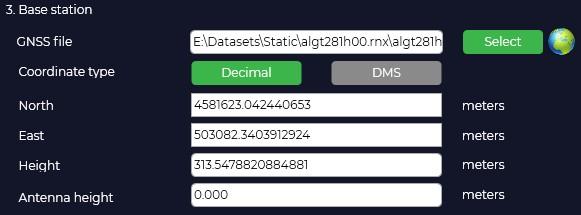
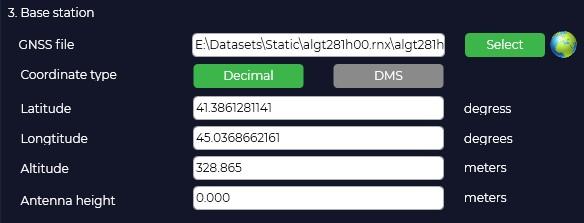
8. The program will automatically load the coordinates and height of the base antenna from the Rinex file, taking into account that it was entered during measurement and display the location on the map.  
    [![One vector_07.jpg](https://knowledge.topodrone.com/uploads/images/gallery/2024-11/scaled-1680-/one-vector-07.jpg)](https://knowledge.topodrone.com/uploads/images/gallery/2024-11/one-vector-07.jpg)
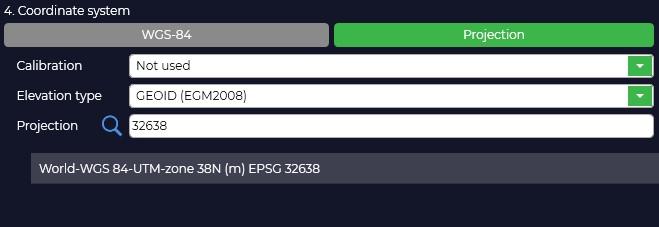
9. In case your coordinate system is different from WGS-84, you need to click "Projection" button and select your coordinate system from the list or enter the coordinate system name in the search line, if necessary, select the geoid model. If your coordinate system is not in the list, you can add it to TOPODRONE Post Processing program.  
      
    [![One vector_08.jpg](https://knowledge.topodrone.com/uploads/images/gallery/2024-11/scaled-1680-/one-vector-08.jpg)](https://knowledge.topodrone.com/uploads/images/gallery/2024-11/one-vector-08.jpg)
10. Selecting a coordinate system will convert from WGS-84 to the projection of your choice. If necessary, correct the coordinates of the base station.  
    <p class="callout warning">The height of the antenna includes the height of the milestone or tripod from the point of known coordinates to the bottom of the receiver mount and the height from the bottom of the receiver mount to the phase center.</p>
    
      
    [![One vector_09.jpg](https://knowledge.topodrone.com/uploads/images/gallery/2024-11/scaled-1680-/one-vector-09.jpg)](https://knowledge.topodrone.com/uploads/images/gallery/2024-11/one-vector-09.jpg)
    
    After pressing the "Start" button, the program will proceed to calculations.  
    [![One vector_10.jpg](https://knowledge.topodrone.com/uploads/images/gallery/2024-11/scaled-1680-/g3hone-vector-10.jpg)](https://knowledge.topodrone.com/uploads/images/gallery/2024-11/g3hone-vector-10.jpg)
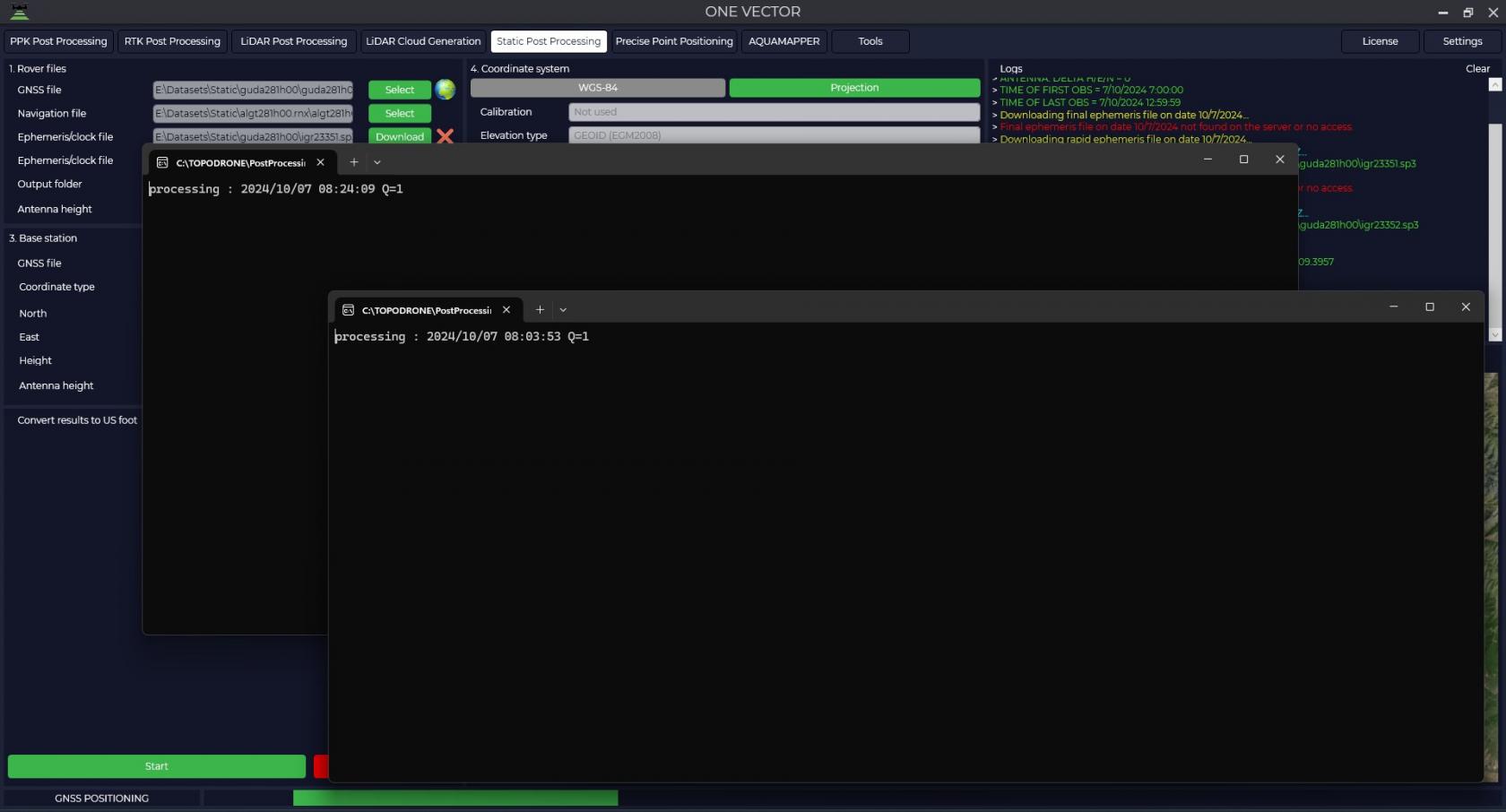
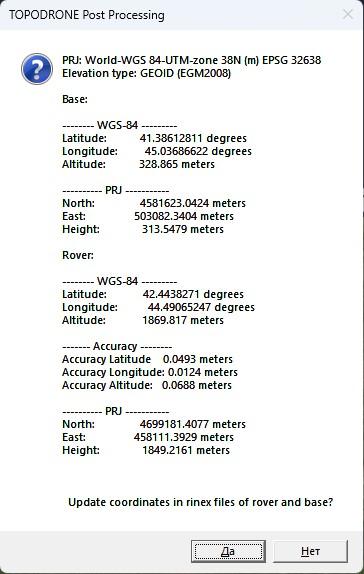
11. Upon completion of calculations the program will display a window with coordinates of base station and rover in WGS-84 coordinate system and local coordinate system and will offer to save these data to observation files for further use of these data. Also in the output data folder the file with the calculation results will be saved.  
    <table border="1" style="border-collapse: collapse; width: 100%; border-width: 0px;"><caption>Caption</caption><colgroup><col style="width: 50%;"></col><col style="width: 50%;"></col></colgroup><tbody><tr><td style="border-width: 0px;">[![One vector_11.jpg](https://knowledge.topodrone.com/uploads/images/gallery/2024-11/scaled-1680-/one-vector-11.jpg)](https://knowledge.topodrone.com/uploads/images/gallery/2024-11/one-vector-11.jpg)
    
    </td><td style="border-width: 0px;">PRJ: World-WGS 84-UTM-zone 38N (m) EPSG 32638  
    Elevation type: GEOID (EGM2008)
    
    ##### <span style="text-decoration: underline;">**Base:**</span>
    
    \-------- WGS-84 ---------  
    Latitude: 41.38612811 degrees  
    Longitude: 45.03686622 degrees  
    Altitude: 328.865 meters
    
      
    \---------- PRJ -----------  
    North: 4581623.0424 meters  
    East: 503082.3404 meters  
    Height: 313.5479 meters
    
    ##### <span style="text-decoration: underline;">**Rover:**</span>
    
    \-------- WGS-84 ---------  
    Latitude: 42.4438271 degrees  
    Longitude: 44.49065247 degrees  
    Altitude: 1869.817 meters
    
      
    \------- Accuracy --------  
    Accuracy Latitude 0.0493 meters  
    Accuracy Longitude: 0.0124 meters  
    Accuracy Altitude: 0.0688 meters
    
      
    \---------- PRJ -----------  
    North: 4699181.4077 meters  
    East: 458111.3929 meters  
    Height: 1849.2161 meters
    
    </td></tr></tbody></table>